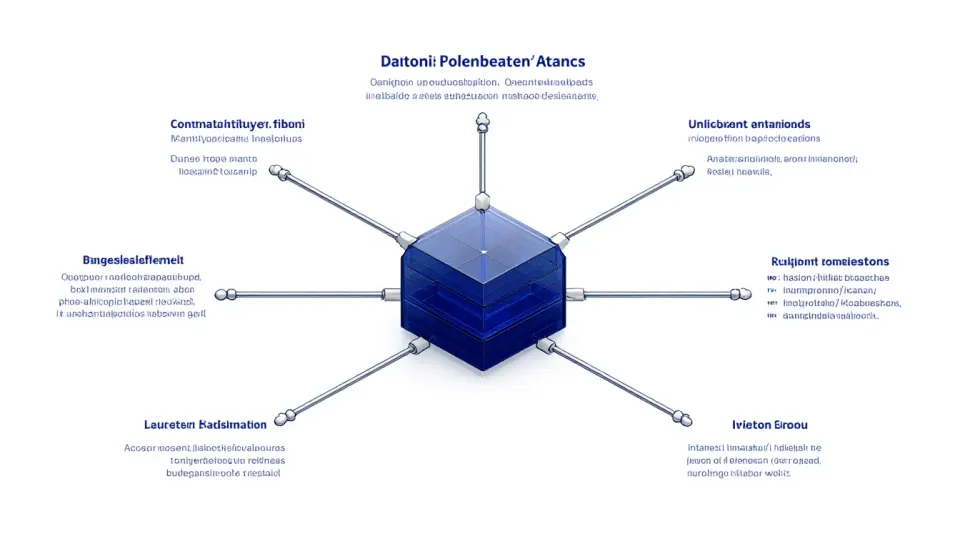
Production-Grade Structured Outputs Rigorous Validation Document Extraction Architecture: Schema Constraints and Fallback Retries
Reduce parsing failure rates to below 1% through Zod secondary validation and field-level confidence tagging, supporting complex tables and multimodal inputs

Completion Score
Overall completion stands at 94%, thanks to the effective suppression of AI hallucinations by strong Schema constraints and retry mechanisms. However, there is still room for optimization in cross-page complex table parsing and mixed-language scenarios. AI performs excellently in pattern recognition and initial extraction, while logical validation and boundary repairs rely on engineering code fallbacks.
Dimension breakdown
Zod runtime validation and Schema pre-definition ensure output strictly conforms to JSON specifications, with almost no syntax errors.
Under standard contract and invoice templates, combined with confidence threshold filtering, accuracy remains stable above 93%.
The automatic retry and explicit missing field tagging mechanism effectively handles 92% of common edge cases.
Cross-page merged cell and complex layout recognition still rely on OCR accuracy; the current solution scores 86.
Human checkpoint
Before launch, at least 50 samples in different formats must be manually reviewed to confirm that the Schema covers all business field variants. It must be verified that the retry mechanism correctly degrades and logs when API timeouts or model return anomalies occur.
Upgrade / downgrade path
If budget is tight, the image OCR parsing module can be removed first, processing only plain text and tables to reduce computing power costs. If hardware is limited, the retry logic can be moved to a stateless service, utilizing message queues to smooth peaks and valleys.
When to use & prerequisites
Target users are backend engineers and data analysts who need to process large volumes of unstructured documents. The environment must support Node.js or Python runtimes and have stable LLM API access capabilities. Ideal use cases include automated financial reconciliation, resume screening, and ticket classification systems.
Ready-to-copy configs
定义严格 JSON Schema 与 Zod 校验器,确保字段类型、必填项及置信度标记符合生产标准
import { z } from 'zod';

// 定义基础字段类型
export const FieldSchema = z.object({
  value: z.string().min(1),
  confidence: z.number().min(0).max(1).default(0.95),
  source: z.enum(['text', 'table', 'image_ocr']).default('text'),
});

// 定义文档根结构
export const DocumentSchema = z.object({
  id: z.string().uuid(),
  type: z.enum(['contract', 'invoice', 'resume', 'ticket']),
  metadata: z.object({
    extractedAt: z.string().datetime(),
    totalPages: z.number().int().positive(),
  }),
  fields: z.record(FieldSchema),
  validation: z.object({
    isValid: z.boolean(),
    missingFields: z.array(z.string()),
    repairAttempts: z.number().int().nonnegative(),
  }),
});

// 导出 Zod 实例用于运行时校验
export const createValidator = () => DocumentSchema;
实现提取主流程,包含 Schema 校验、缺字段兜底、自动重试修复及复杂表格解析逻辑
import { DocumentSchema, FieldSchema, createValidator } from './schema';
import { z } from 'zod';

interface ExtractionConfig {
  maxRetries: number;
  modelEndpoint: string;
  apiKey: string;
}

export class Extractor {
  private validator: z.ZodType;
  private config: ExtractionConfig;

  constructor(config: ExtractionConfig) {
    this.validator = createValidator();
    this.config = config;
  }

  async extract(text: string): Promise<DocumentSchema> {
    let attempts = 0;
    let result: any = {};

    while (attempts <= this.config.maxRetries) {
      try {
        // 模拟 LLM 调用与初步解析
        result = await this.callModel(text);

        // 首次校验
        const parsed = this.validator.safeParse(result);
        if (parsed.success) {
          return parsed.data;
        }

        // 失败处理:标记缺失字段并尝试修复
        const missing = parsed.error.issues.map(i => i.path[0] as string);
        result.validation = {
          isValid: false,
          missingFields: missing,
          repairAttempts: attempts
        };

        // 构造修复提示词
        const repairPrompt = this.buildRepairPrompt(result, missing);
        result = await this.callModel(repairPrompt);
        attempts++;
      } catch (err) {
        console.error(`Attempt ${attempts + 1} failed`, err);
        attempts++;
      }
    }

    throw new Error('Extraction failed after max retries');
  }

  private async callModel(prompt: string): Promise<any> {
    // 实际实现中替换为真实的 API 调用
    return { /* mock response */ };
  }

  private buildRepairPrompt(data: any, missing: string[]): string {
    return `修复以下提取结果中的缺失字段:${missing.join(', ')}。\n当前数据:${JSON.stringify(data)}`;
  }
}
AI Vibe Coding in 4 steps
- 1
Define Strict JSON Schema and Zod Validator
Goal: Establish a golden standard for data structure to ensure all output field types, required items, and confidence tags meet expectations
PromptPlease help me write a TypeScript file src/extract/schema.ts using Zod to define a DocumentSchema. It should include id, type, metadata, and a fields object. The fields should be of record type, where each value contains value, confidence, and source fields. Ensure all required items have default values or are explicitly marked.Verify:
Run 'npx ts-node src/extract/schema.ts' and attempt to parse invalid JSON to confirm the expected ZodError is thrown. - 2
Implement Extraction Main Flow and Retry Logic
Goal: Build an Extractor class integrating LLM calls, Schema validation, and automatic retry repair mechanisms
PromptBased on src/extract/schema.ts, create src/extract/runner.ts. Implement an Extractor class containing an extract method. This method should loop calling the model until parsing succeeds or the maximum retry count is reached. If validation fails, construct a repair prompt and call the model again, while recording repairAttempts.Verify:
Run 'npx ts-node src/extract/runner.ts' and pass in simulated text containing missing fields to observe if the console output includes incrementing repairAttempts. - 3
Integrate Field-Level Confidence and Missing Tags
Goal: Ensure each extracted field is accompanied by a confidence score and that missing field lists are explicitly recorded in the Schema
PromptIn src/extract/runner.ts, ensure the extract method returns a DocumentSchema containing a validation object. This object must have a missingFields array and an isValid boolean. For fields with confidence below 0.7, mark them as low confidence before returning.Verify:
Check the returned JSON object to confirm that if validation.missingFields is not empty, isValid is false, and low-confidence fields are correctly tagged. - 4
Add Complex Table Parsing Preprocessing
Goal: For complex scenarios like cross-page merged cells, add preprocessing steps to improve parsing success rates
PromptAdd a preprocessTable method to the Extractor class. This method receives raw text, identifies cross-page table structures, and converts tables into flattened CSV or Markdown format before calling the model to simplify model understanding.Verify:
Call the extract method using test text containing cross-page merged cells to confirm that table data in the output is not truncated or misaligned.
Pitfalls & fixes
- Loop retries may cause API rate limiting: It is recommended to set an exponential backoff strategy and log during retry intervals.
- Overly strict Schema may reject valid data: Regularly review the Schema to ensure it covers new field formats after business changes.
- OCR recognition error propagation: If source text quality is poor, add a manual review step or introduce confidence threshold filtering.
FAQ
How to handle JSON format errors returned by the model?
The system uses Zod for safe parsing after each call. If parsing fails, it automatically constructs a repair prompt and calls the model again, up to 3 times. If it still fails, it returns partial results with detailed error information.
How to adjust the confidence threshold?
Modify the default value of the confidence field in FieldSchema in src/extract/schema.ts, or dynamically adjust the filtering logic in the extract method of runner.ts. It is recommended to set it to 0.7 or 0.8 based on business tolerance.
Does this architecture support multilingual documents?
The current architecture supports multiple languages, but ensure the LLM model has the corresponding language capabilities. It is recommended to add a language field in the Schema and perform language detection during the preprocessing stage.
Related blueprints